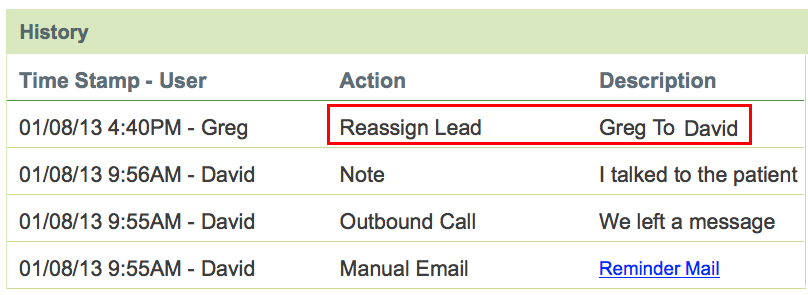
Our Reassign Leads feature makes it easy to assign leads to different staff members in your office. On the Lead Management page, you will see a button called Reassign below the lead’s demographic data and procedures.

To forward the lead to another rep to be managed, simply click on this button from the lead management page and a popup screen will appear.
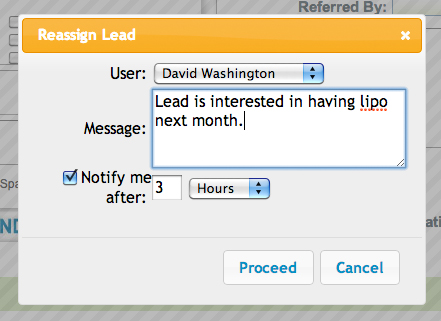
From the User drop down menu, select the staff member that you wish to reassign the lead to and add any additional comments in the Message box. You can also choose to be notified after a specified time period if the lead has not yet been contacted. When you are finished, simply click Proceed and the Lead History will be updated to reflect the reassignment. The user will be notified that there is a new lead waiting for them.