Workflow Optimization
The effectiveness of MyMedLeads, like any new business software, hinges on your staff’s ability to utilize it to the fullest. Establishing and maintaining efficient workflow strategies is crucial to maximizing the software’s effectiveness and boosting patient conversion rates. These optimal workflow processes are broken down into daily, weekly, and monthly tasks that should be consistently performed to optimize the software’s overall effectiveness.
Daily Tasks
Start your day by logging into MyMedLeads to review any new leads. These leads come from inquiries made through your website or other online listings for your practice. MyMedLeads also provides call-tracking phone numbers that can generate additional leads, which will appear in the system.
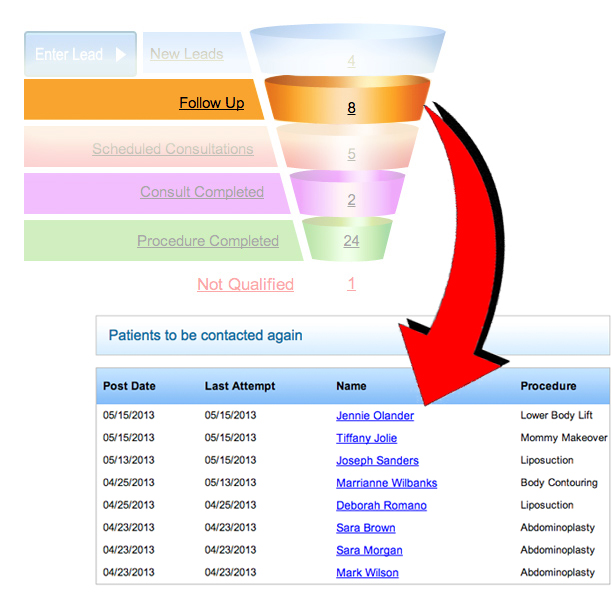
Once leads are properly managed, the “New Leads” section of the sales funnel will reset to zero. Think of this “New Leads” layer as your inbox – new inquiries should not sit here for long. Your goal should be to move these leads down the funnel as quickly as possible.

Twice per Week Tasks
Persistent follow-up with leads is a key factor in booking more appointments, even after the initial response time. Practices that follow up with leads at least 3 times have a 45% higher conversion rate than those that only call leads once. MyMedLeads streamlines this process by generating automatic follow-up lists, making it easy to stay on top of prospects. This allows you to quickly identify leads who haven’t been contacted in over a week and reach out to them again.
Managing Leads
MyMedLeads allows you to create targeted email campaigns for specific procedures. These campaigns can be automatically sent to leads as soon as they enter the system. Leads can arrive in the system through one of three different methods.
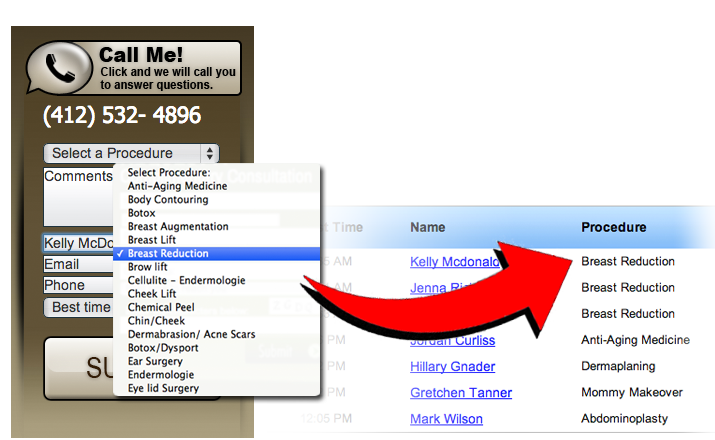
1.) Via Form Submission – Leads can come through your website’s contact form or from any other site where you advertise, such as directory listings. In most cases, you’ll have the lead’s email address, and depending on your form setup, you may also know their procedure of interest. MyMedLeads automatically identifies this information and sends a series of targeted emails tailored to the individual’s interests over time.
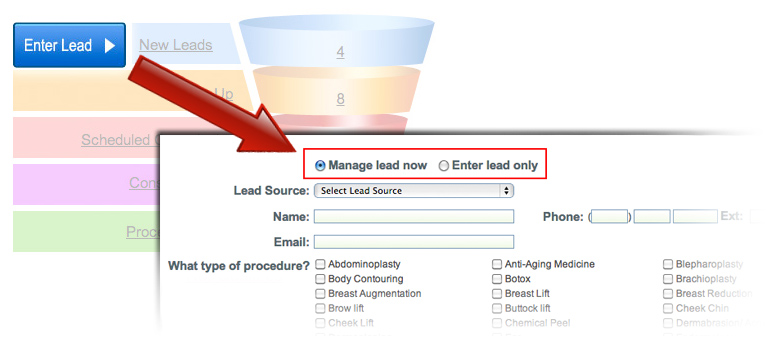
2.) By Manual Entry – Entering new leads into the system is straightforward. Simply click the “Enter Lead” button to the left of the funnel, which will take you to a page with two options: “Manage Lead” if you’re speaking with the individual, or “Enter Lead Only” for when you’re reviewing voicemails in the morning.
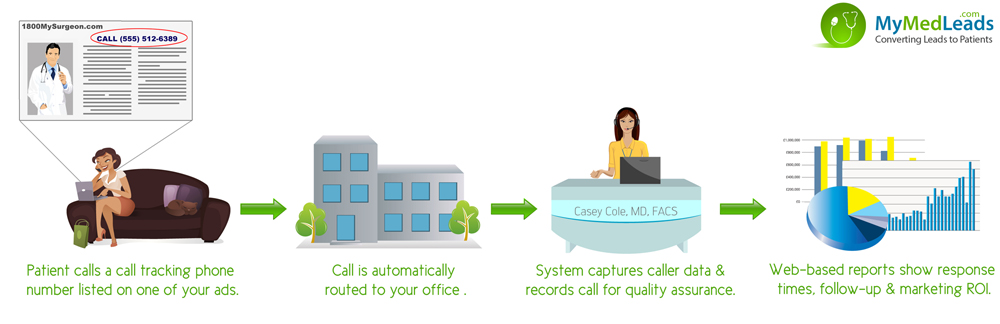
3.) Via Phone Call – MyMedLeads offers call tracking phone numbers that automatically log incoming calls as leads in the system. When capturing leads over the phone, be sure to collect the caller’s email address and the procedure they are interested in, so you can market to them effectively. If a lead requests no email communications, you can note this preference in the Lead Preferences section.
Weekly Tasks
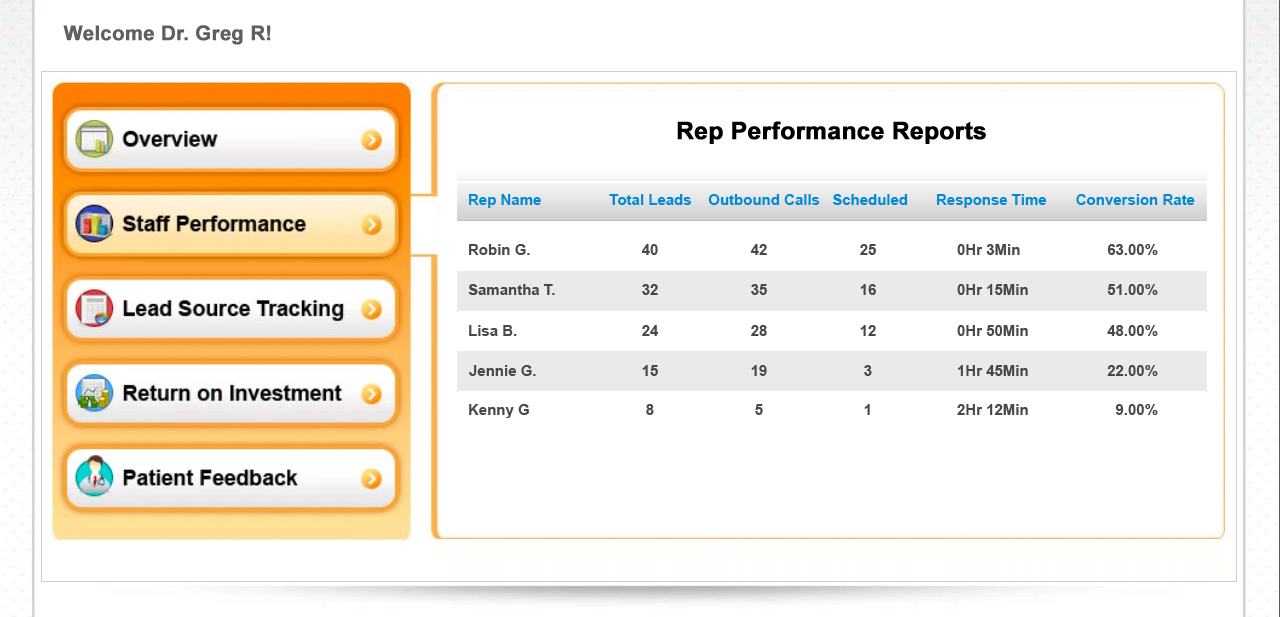
Scheduling weekly meetings with staff to review response times and follow-up practices can effectively prevent neglecting outreach to potential patients amid daily responsibilities. These meetings provide an excellent forum to discuss best practices for lead follow-up and collaborate on strategies to convert more patients.
Monthly Tasks
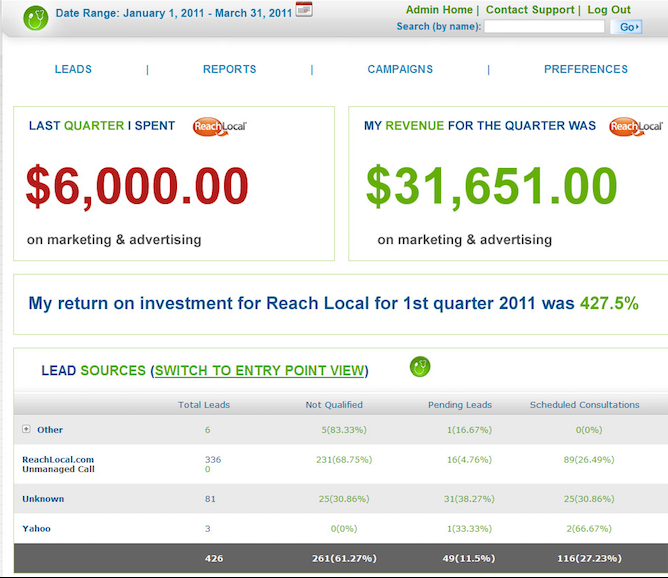
Review your marketing ROI reports monthly to evaluate the effectiveness of your current marketing channels. Accurately track revenue in MyMedLeads for completed procedures so it can precisely calculate the ROI on each marketing investment. This clear, actionable ROI data will streamline your monthly marketing budget reviews, allowing you to easily identify which strategies are working and which are not. Regularly assessing this data will help ensure your practice runs efficiently and avoids wasting advertising funds on ineffective campaigns.