
Step 1. Please contact your practice management rep to ensure that they enable HL7 and that you have the latest version of your software. This will allow MyMedLeads to integrate with your PM software.
Step 2. Once they setup your account, please email us at support@mymedleads.com so that we can send you the link to the plugin.
Step 3. When you receive the link, installing takes less than 4 minutes. At the end of installation, you will be prompted for an activation code that we will provide. Simply follow that link from the server that hosts your PM/EMR and enter the activation code when prompted.
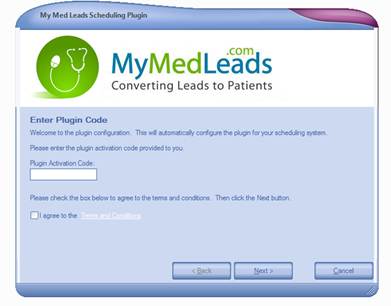
Once the software is installed, Your NexTech and MyMedLeads accounts will be fully integrated so you will no longer have to enter leads into NexTech manually.